01 What this portal is for
It replaces the email thread.
Until now a booking request went by email or WhatsApp, and the answer came back the same way. That works until somebody is on leave, a message lands in spam, or two people reply to different copies of the same thread. Then nobody can say what was agreed.
In the portal every request has one reference, one status and one history. You can see exactly where a booking stands without asking anyone. The hotel sees the same thing you do.
You still receive email for anything that needs you. The email is a notification. The portal is the record.
Your rates and terms are not in here. The portal carries booking requests and their answers. What you pay, and what you have agreed with the hotel, stays where it is today: in your contract.
02 Your first sign-in
The hotel creates your login. You set the password.
When a hotel adds your agency, they enter one email address for your company. That address receives an email from the hotel with a link to set a password. The message comes from the hotel's own name, so a subject line reading Ocean Bay Hotel would like to work with you is genuine.
Open the email and follow the link. It expires, so use it the same day if you can.
Choose a password. It has to be one you have not used on the portal before.
You land on your dashboard. Nothing else is needed to start.
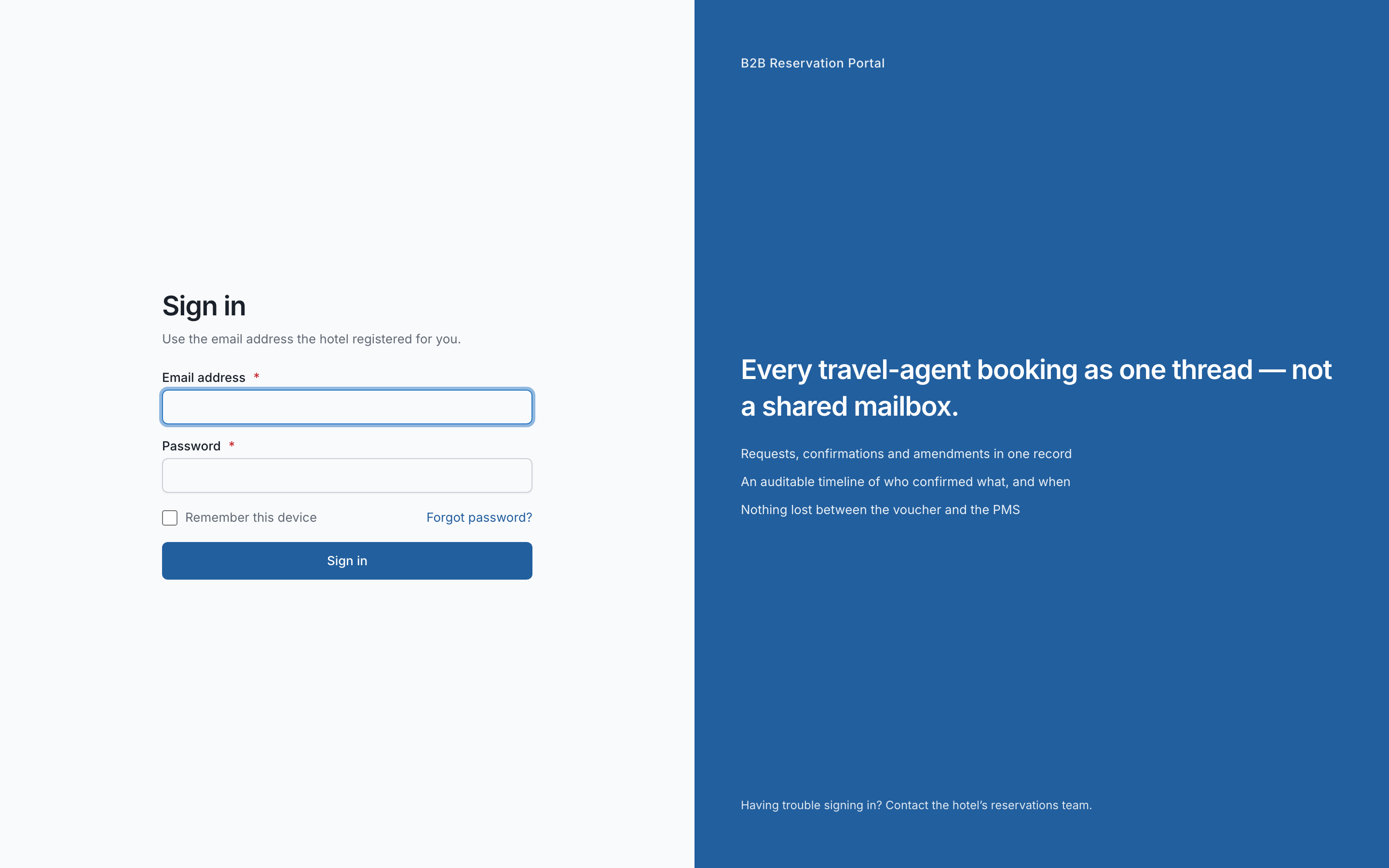
If the link has expired, use Forgot password on the sign-in page. It sends a fresh link to the same address. Do not ask the hotel to reset it for you: they cannot see or set your password, by design.
If you lose the email
Go to the portal address, choose Forgot password, and enter your work email. If an account exists you will get a link. The page says the same thing either way, so nobody can use it to find out whether a colleague has an account.
03 Finding your way around
Seven places, and you will use two of them daily.
| Where | What it holds |
|---|---|
| Dashboard | What needs you today, and recent activity on your bookings. |
| My bookings | Every request you have sent this hotel, with its status. Your daily screen. |
| Notices | Announcements from the hotel: stop-sales, closures, changes to policy. |
| Invitations | Other hotels asking to work with you. Carries a count when something is waiting. |
| Profile | Your company details, as the hotel sees them. |
| Documents | Your trade licence, insurance and anything else with an expiry date. |
| Our agents | Logins for your own staff. Agency admins only. |
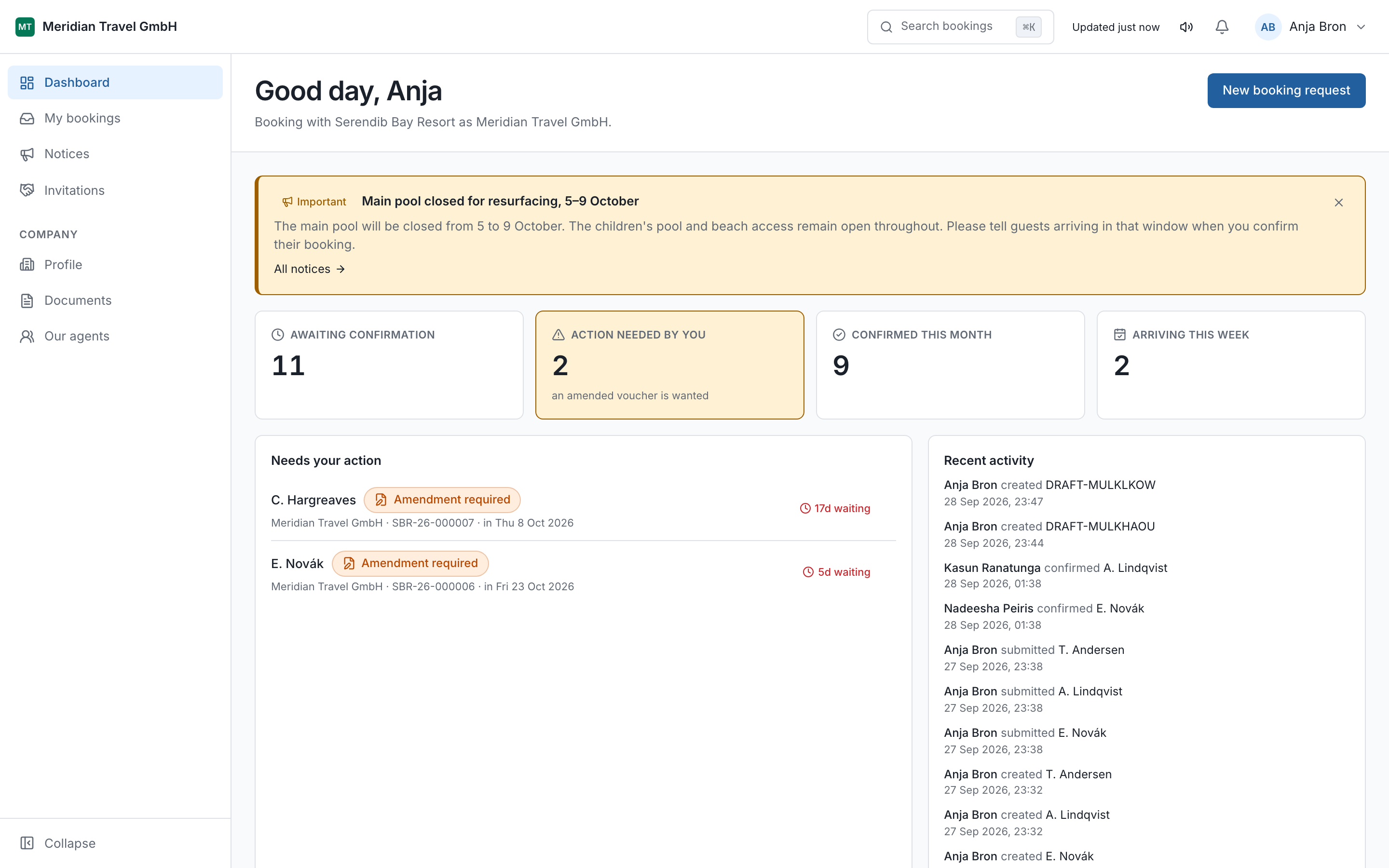
Search
Press ⌘K on a Mac or Ctrl+K on Windows anywhere in the portal.
Type a guest surname, a booking reference, or part of one. It finds bookings, and it is faster
than scrolling the list.
04 Sending a booking request
Three steps. Nothing is sent until the last one.
From My bookings, choose New booking. If you work with more than one hotel through the portal, you are asked which hotel first. It asks every time, on purpose.
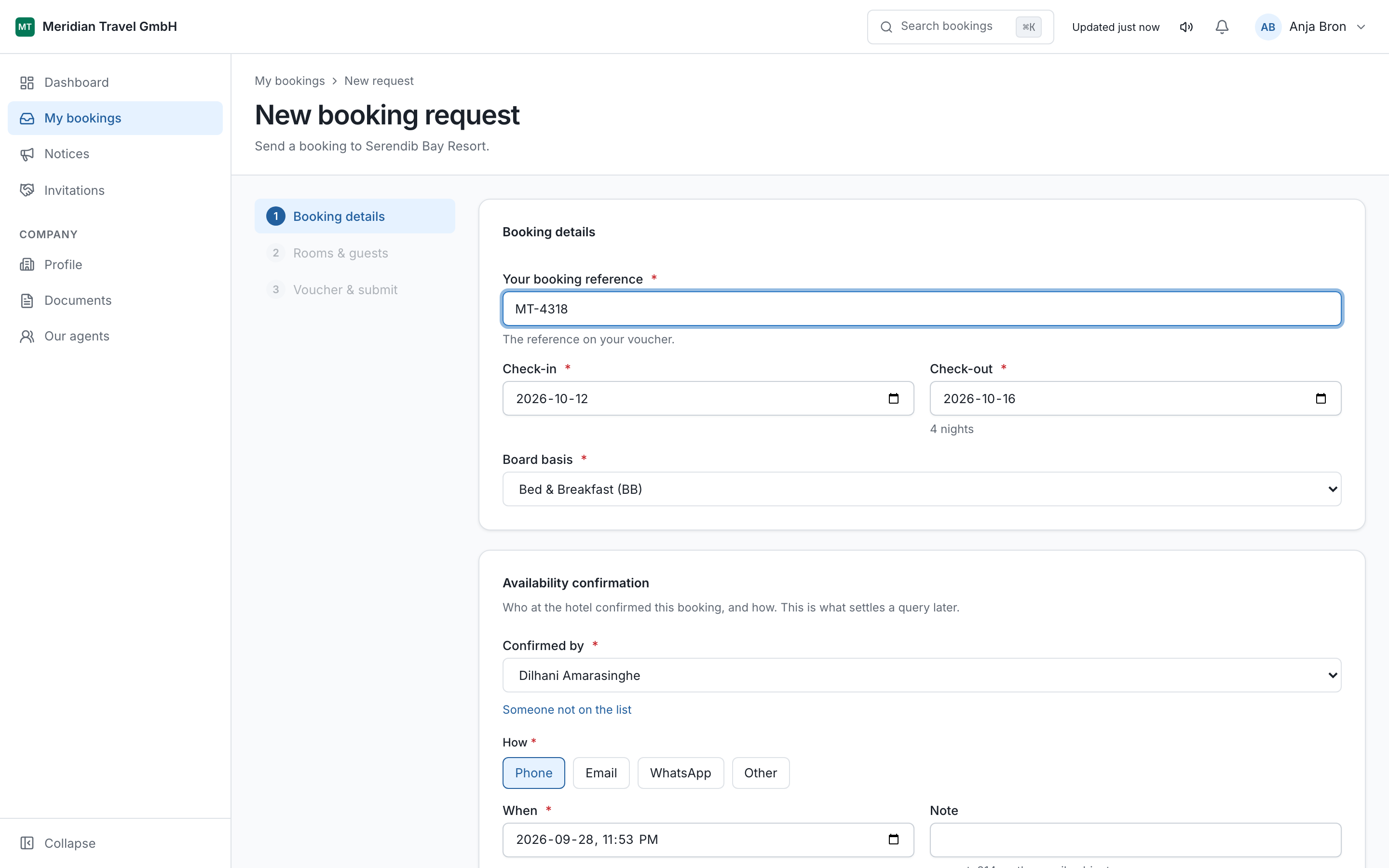
Step 1 — Booking details
Dates, the lead guest's name, their nationality, and your own reference for this booking. Your reference is the one your office uses. It appears on everything the hotel sends back, so put the number your colleagues will recognise.
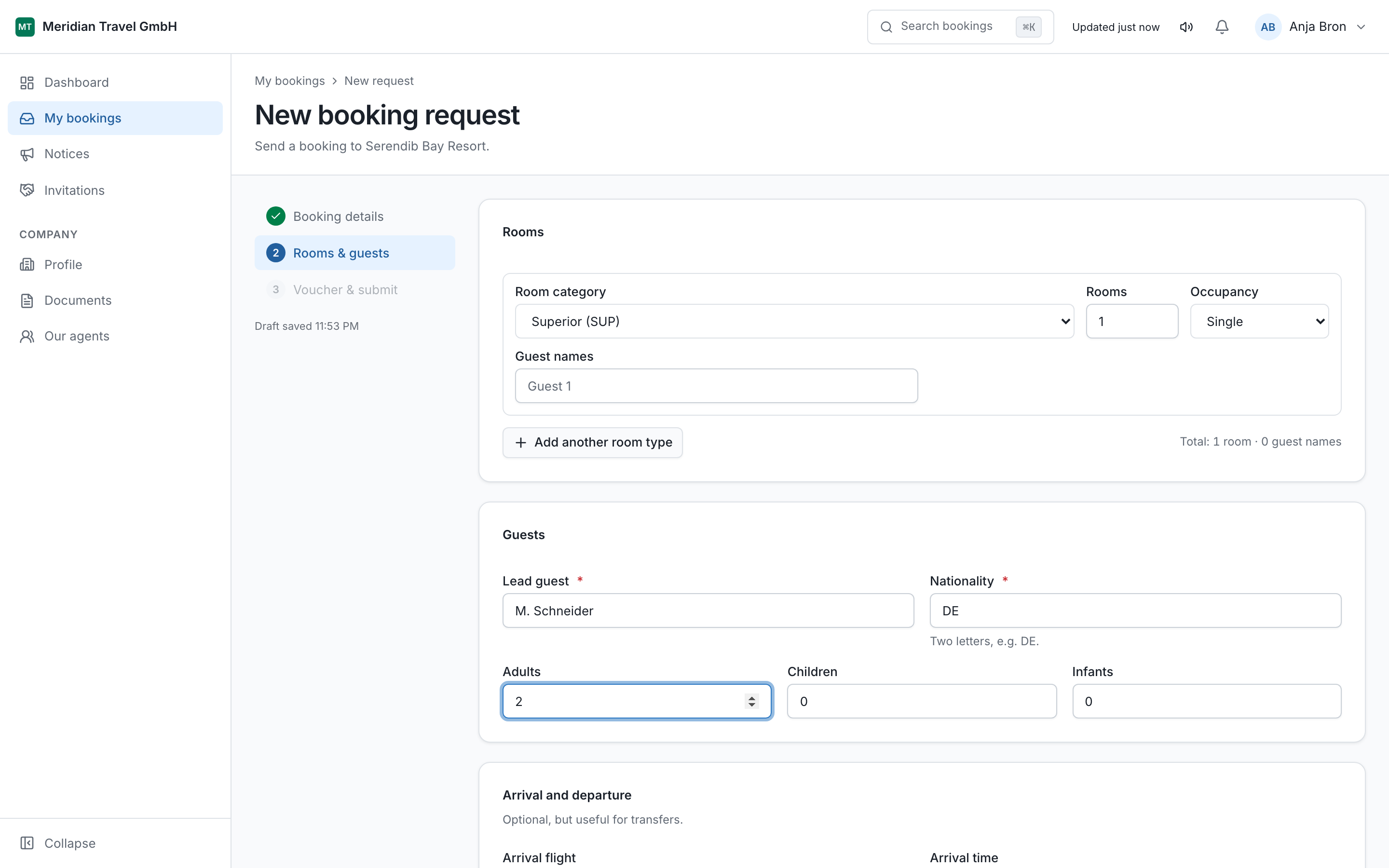
Step 2 — Rooms and guests
Choose the room type and board basis the hotel offers, say how many of each, and enter the guests. Children need an age. The portal asks for it here rather than letting you reach the last step and be sent back.
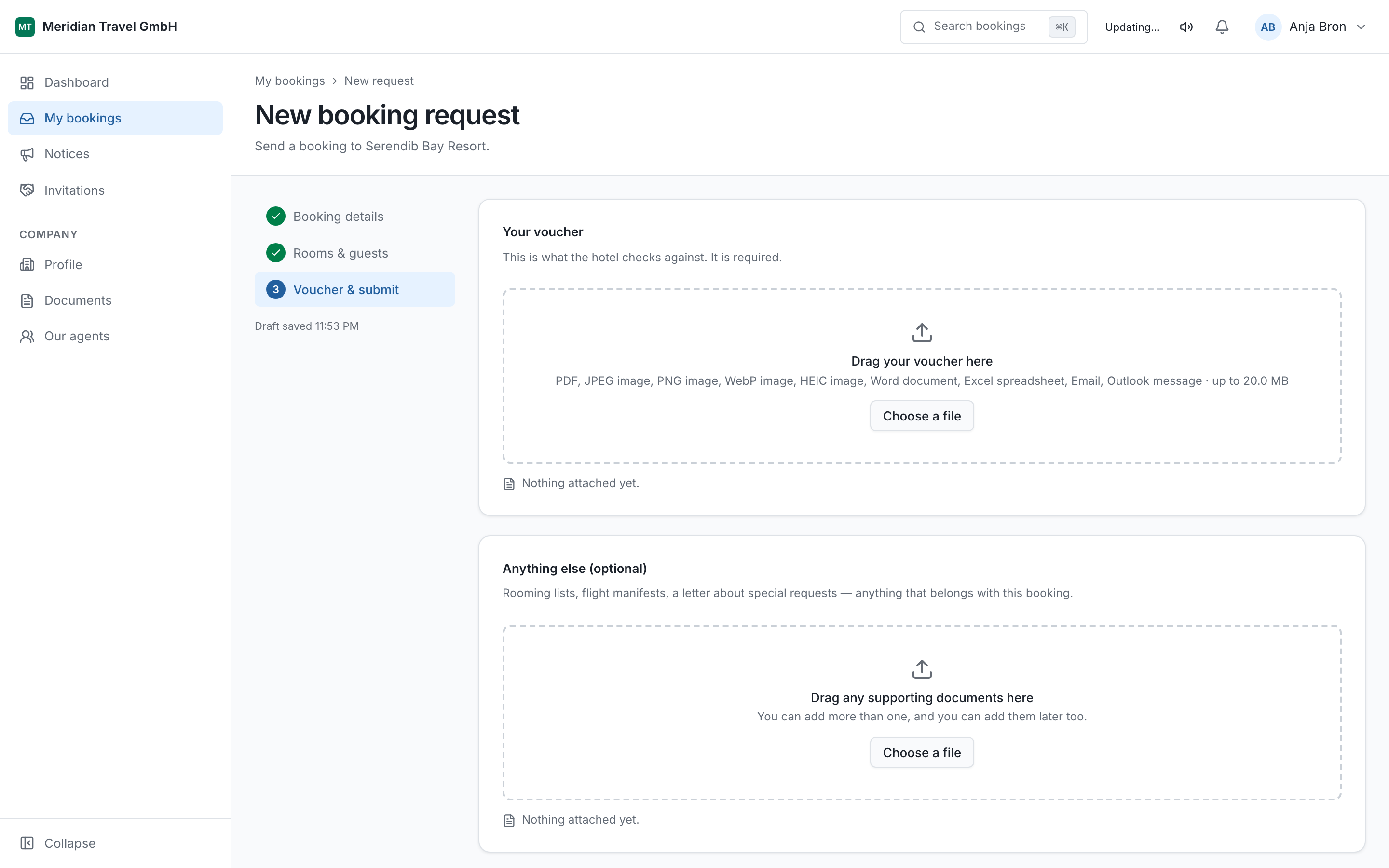
Step 3 — Voucher and submit
Attach your voucher, add any note the hotel needs, and submit. The note is read by the reservations desk, so use it for the things that do not fit a field: a late arrival, a honeymoon, a request for adjoining rooms.
Attach the voucher as a PDF or an image.
Read the summary. This is the last point at which nothing has been sent.
Choose Submit to hotel.
The moment you submit, the request gets a reference like OCB-26-000412. Quote that reference in any email or phone call about this booking. It is the one thing both sides can look up.
Submitting is not a confirmation. The hotel has to accept it. Until the status reads Confirmed, the rooms are not held.
05 Drafts
A half-finished request is kept, not lost.
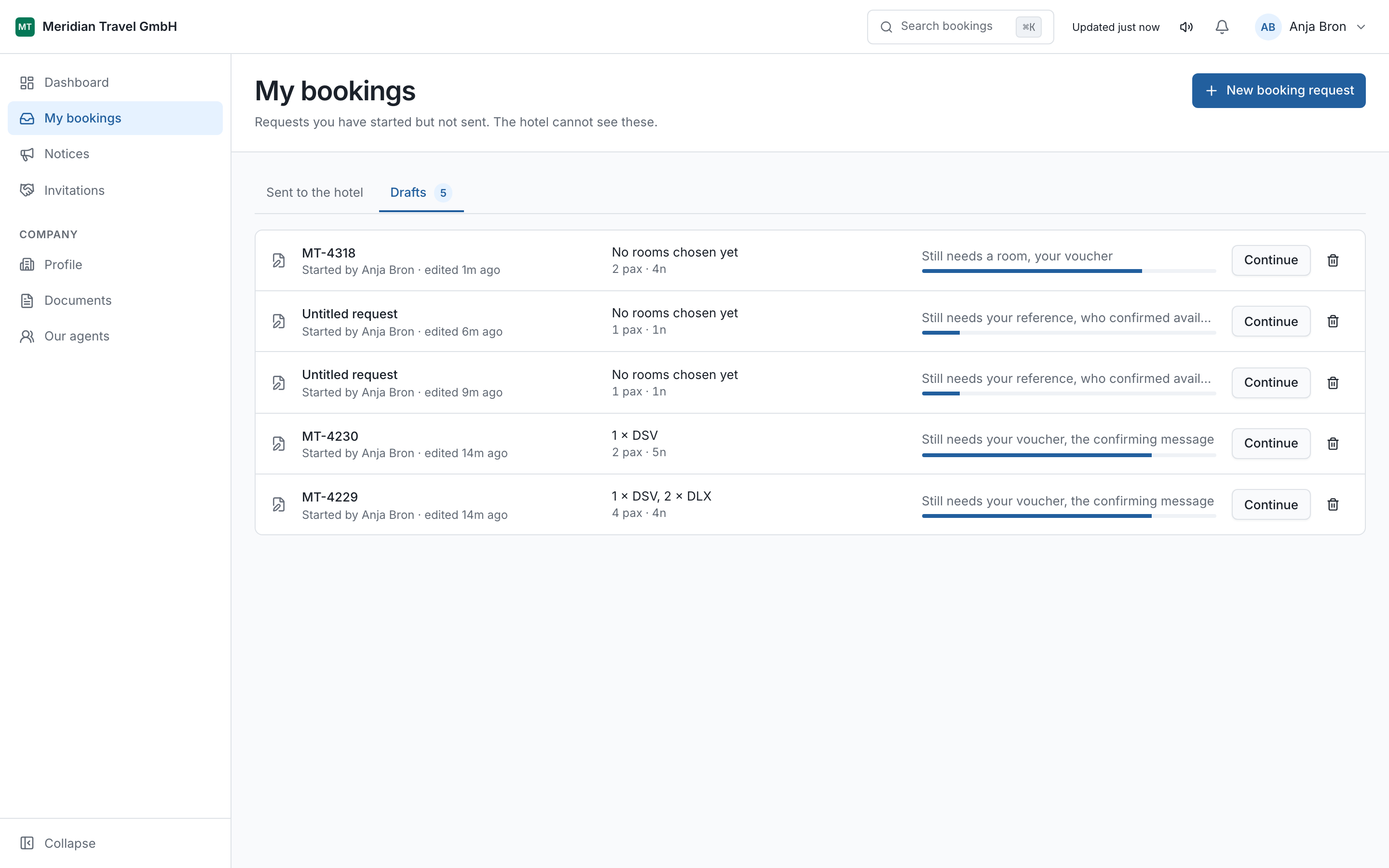
If you leave the wizard before submitting, what you entered is saved as a draft. It appears in My bookings marked Draft. Open it and carry on where you stopped.
The hotel cannot see your drafts. Nothing reaches them until you submit.
06 What each status means
Ten states. The colour and the word always agree.
Every booking shows one of these. The table says what the status means and, more usefully, whose turn it is.
| Status | Meaning | Whose turn |
|---|---|---|
| Draft | Started and not yet sent. Only you can see it. | Yours |
| Submitted | Sent to the hotel and waiting for an answer. | The hotel |
| Amendment requested | The hotel cannot accept it as it stands and has said why. | Yours |
| Amended, pending | You have sent a corrected voucher and the hotel is looking again. | The hotel |
| Confirmed | Accepted. The rooms are held. | Nobody |
| Modification requested | You have asked to change a confirmed booking. | The hotel |
| Cancellation requested | You have asked to cancel a confirmed booking. | The hotel |
| Cancelled | Withdrawn by you, or cancelled with the hotel's agreement. | Closed |
| Rejected | The hotel declined it. The reason is on the booking. | Closed |
| Expired | Nobody acted for long enough that the portal closed it. | Closed |
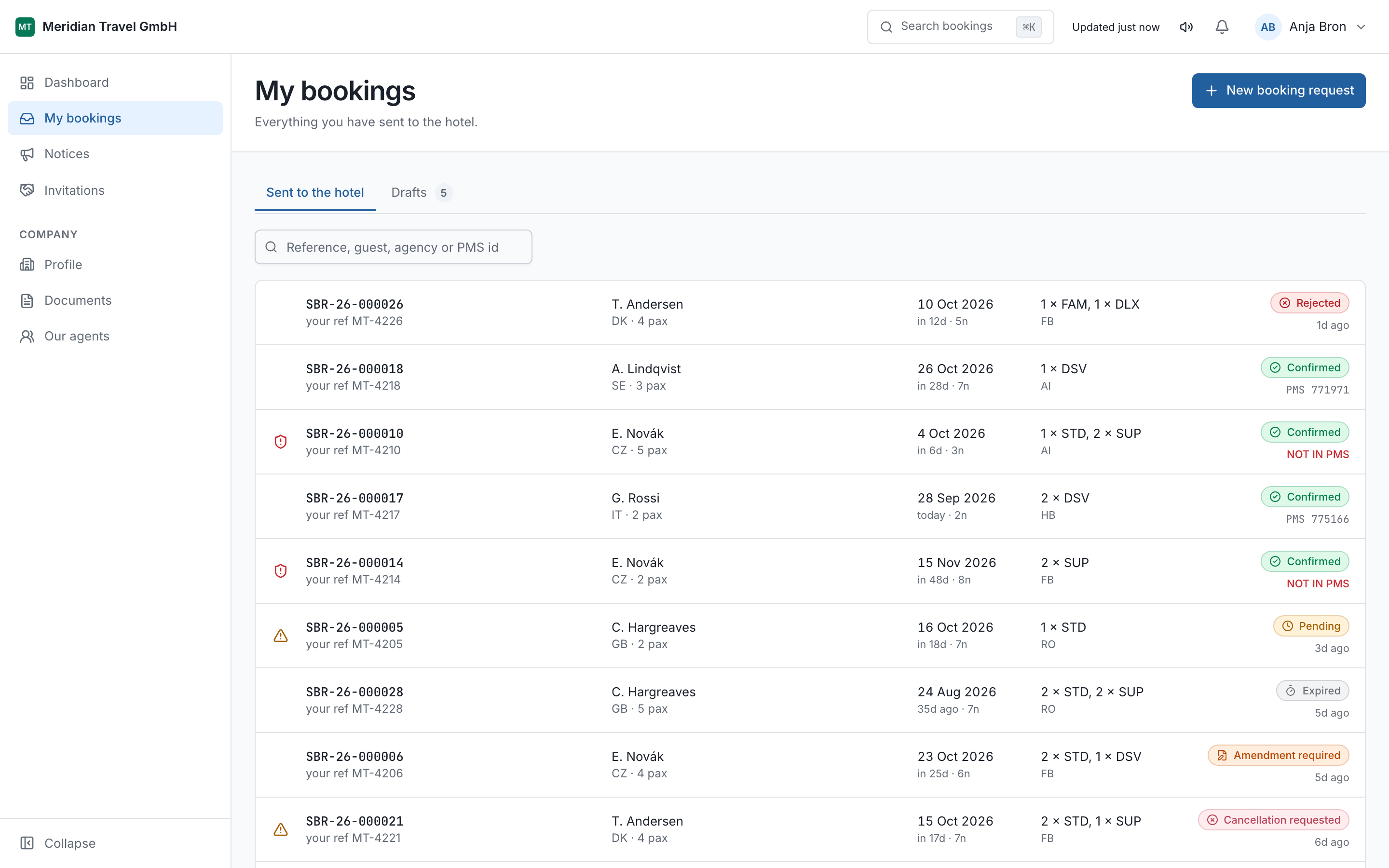
Expired is avoidable. A request sitting in Submitted or Amendment requested for long enough is closed automatically. If a booking matters and nothing has happened, telephone the hotel and quote the reference.
07 When the hotel asks you to amend
Something on the voucher does not match what they can give you.
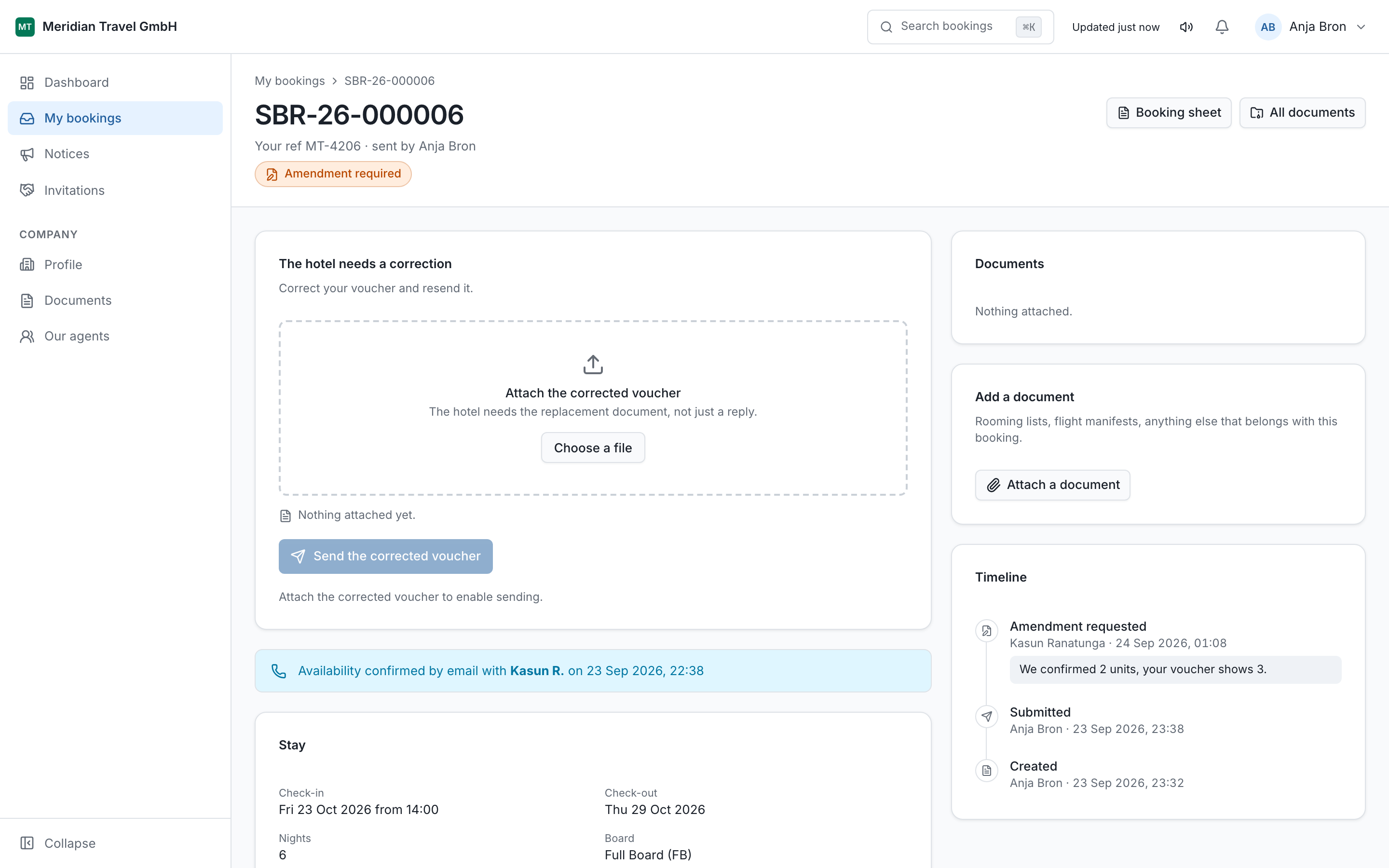
The hotel sets the status to Amendment requested and writes a reason. It is usually specific: we confirmed two units, your voucher shows three, or a board basis that does not exist for those dates.
Open the booking from My bookings or from the email.
Read the reason at the top of the timeline.
Correct the booking and attach the corrected voucher.
Choose Submit amended voucher.
The status becomes Amended, pending and it is back with the hotel. The whole exchange stays on the one booking, so nobody has to search an inbox for what was agreed.
If you would rather drop it
You can choose Withdraw instead. The booking becomes Cancelled and the hotel is told. Use it when the client has gone elsewhere, rather than leaving the request to expire.
08 Changing or cancelling a confirmed booking
You ask. The hotel decides.
A confirmed booking is a commitment on both sides, so you cannot edit it directly. What you can do is raise a request against it, and the rooms stay held while the hotel considers.
| You choose | Status becomes | Then |
|---|---|---|
| Request modification | Modification requested | The hotel approves it, or declines and says why. Either way it returns to Confirmed. |
| Request cancellation | Cancellation requested | Approved becomes Cancelled. Declined returns to Confirmed with a reason. |
Say what is changing, not just that something is. Check-out moves from 18 to 20 October, same rooms can be answered in a minute. Please amend cannot.
Changed your mind before they answer? Choose Withdraw request and the booking goes straight back to Confirmed, untouched.
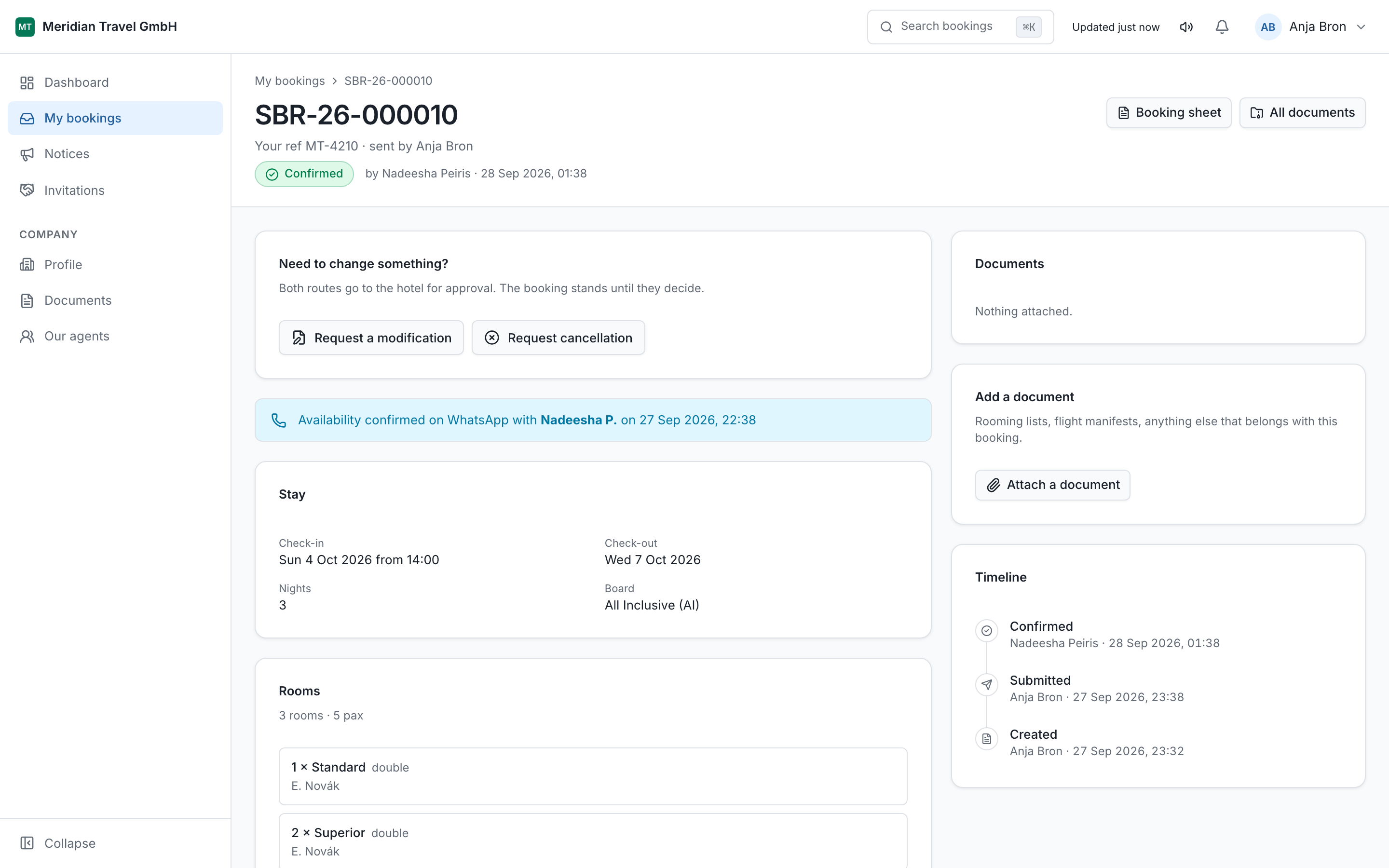
A cancellation request is not a cancellation. Until the status reads Cancelled, the booking stands and so does whatever your contract says about cancellation.
09 Asking about availability
A question before there is a booking.
If the hotel has turned this on, Availability appears in your sidebar. Use it to ask whether something is possible before you promise it to a client: three doubles over New Year, a late check-out, a group of twelve.
The reservations desk answers in the portal. An answer here is an indication, not a booking. When the client agrees, send a booking request in the normal way.
10 Notices from the hotel
Read these before you quote.
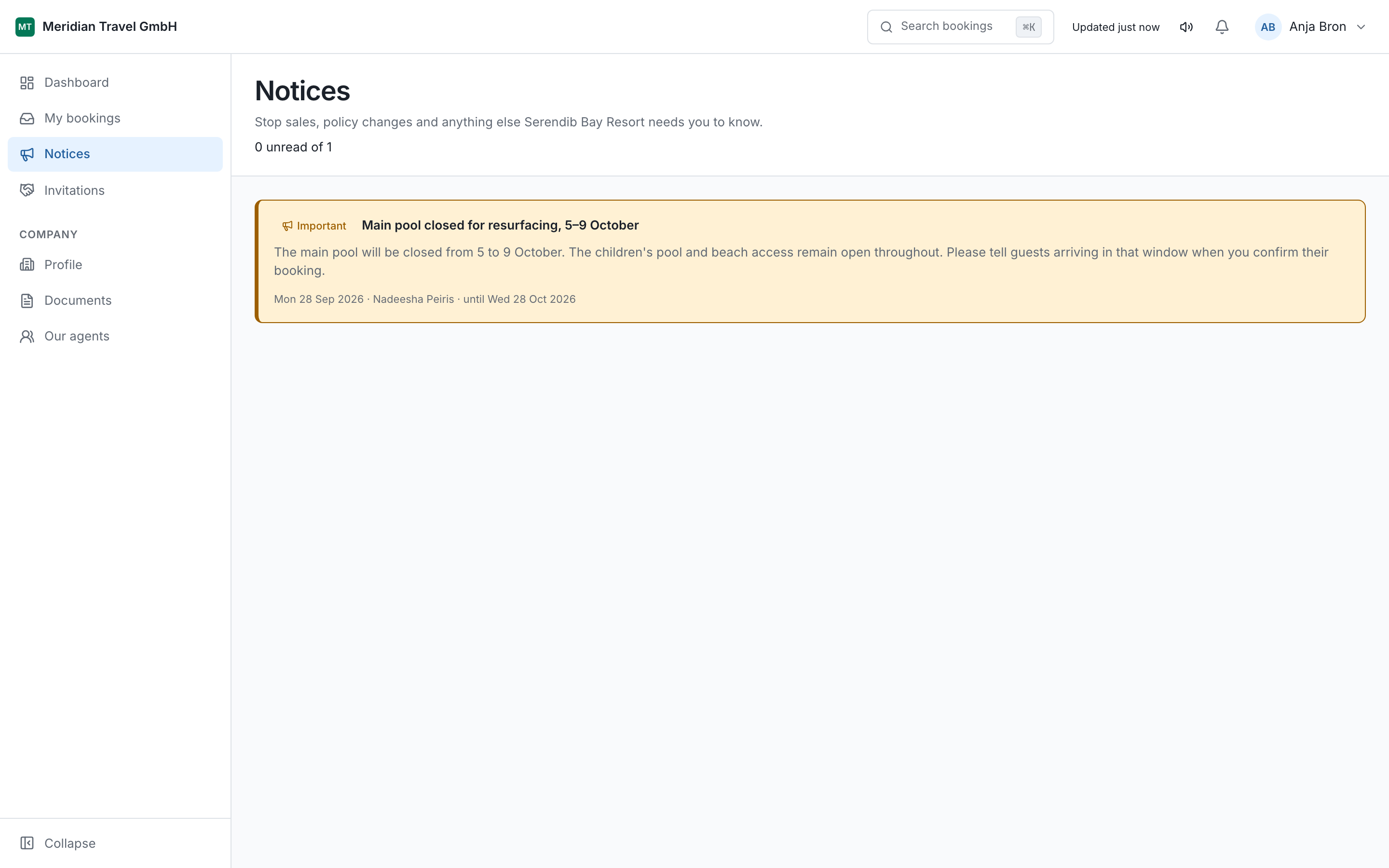
Notices carries announcements the hotel sends to every agency at once: a pool closed for resurfacing, a stop-sale over a long weekend, a change to check-in times. Some are scheduled to appear on a particular date.
A notice is the hotel telling all of you the same thing at the same time, which is what stops one agency selling something another has been told is closed.
11 Your company profile
What the hotel sees when they look you up.
Under Profile are your company's legal name, trading name, country, address, and your registration or VAT number where you have one. Under Documents go your trade licence, insurance certificate and anything else with an expiry date.
Keep the expiry dates right. The portal warns the hotel before a document lapses, which is a quiet reminder rather than an awkward conversation later.
There is also a reservations mailbox setting: whether booking email goes to your shared mailbox with the individual agent copied, the other way round, or to both. Set it to match how your office actually works.
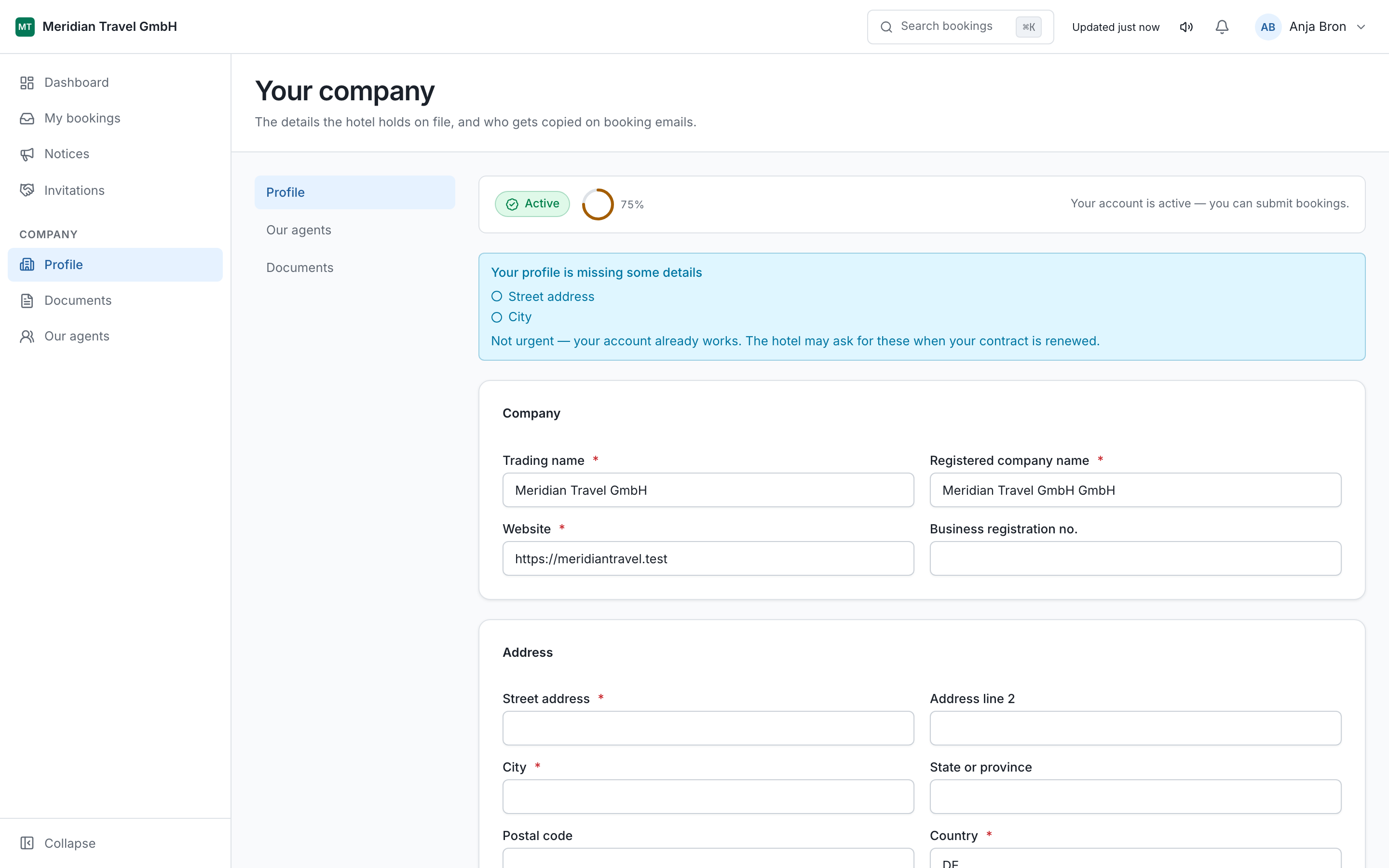
A new agency starts incomplete. Until the profile is filled in and the hotel has approved it, you may not be able to submit bookings. The dashboard says what is missing.
12 Adding your own agents
Agency admins only. One login each, never a shared one.
Under Our agents an agency admin creates a login for each member of staff. They set their own password, the same way you did.
One login each matters for a reason that only shows up later: every booking records who sent it. When a question comes back six weeks on, you can see which of your colleagues handled it. A shared login turns that into guesswork.
| Role | Can do | Cannot do |
|---|---|---|
| Agency admin | Everything below, plus the company profile, documents, contacts and staff logins. | See another agency's bookings. |
| Agency staff | Create and view bookings, raise changes, ask about availability, read reports. | Edit the company profile or create logins. |
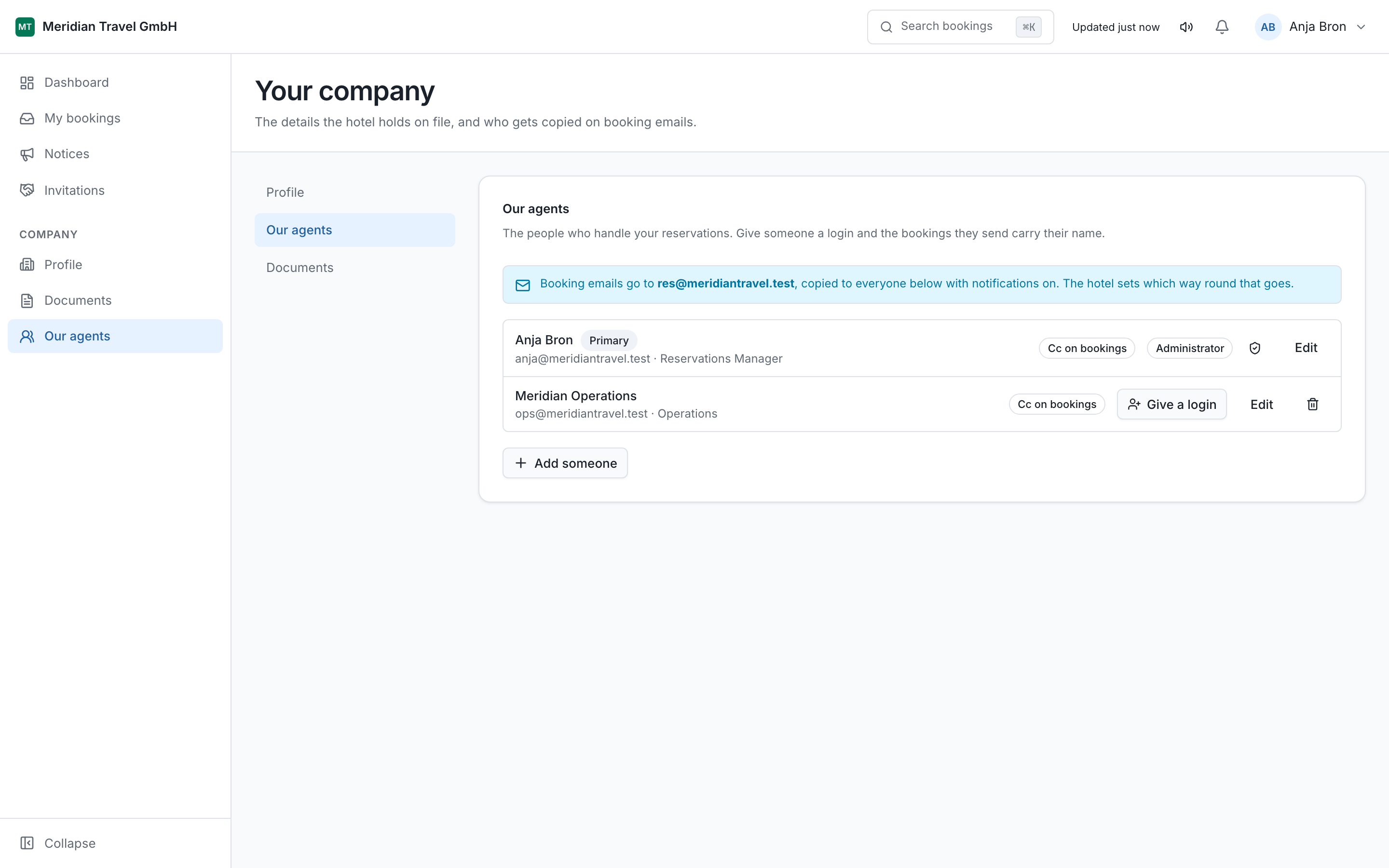
When someone leaves, deactivate them here the same day. The hotel cannot do it for you, and an active login is an active login.
13 Working with more than one hotel
One login, however many hotels.
If a second hotel on the portal wants to work with you, they send an invitation. It appears under Invitations with a count beside it, and you also get an email.
Open Invitations. Each one names the hotel that sent it.
Choose Accept to start working with them, or Decline.
Your company details carry across. You do not fill in the same form again.
After accepting, a hotel switcher appears in the portal. Each hotel sees only its own bookings with you. One hotel suspending your account has no effect at any other.
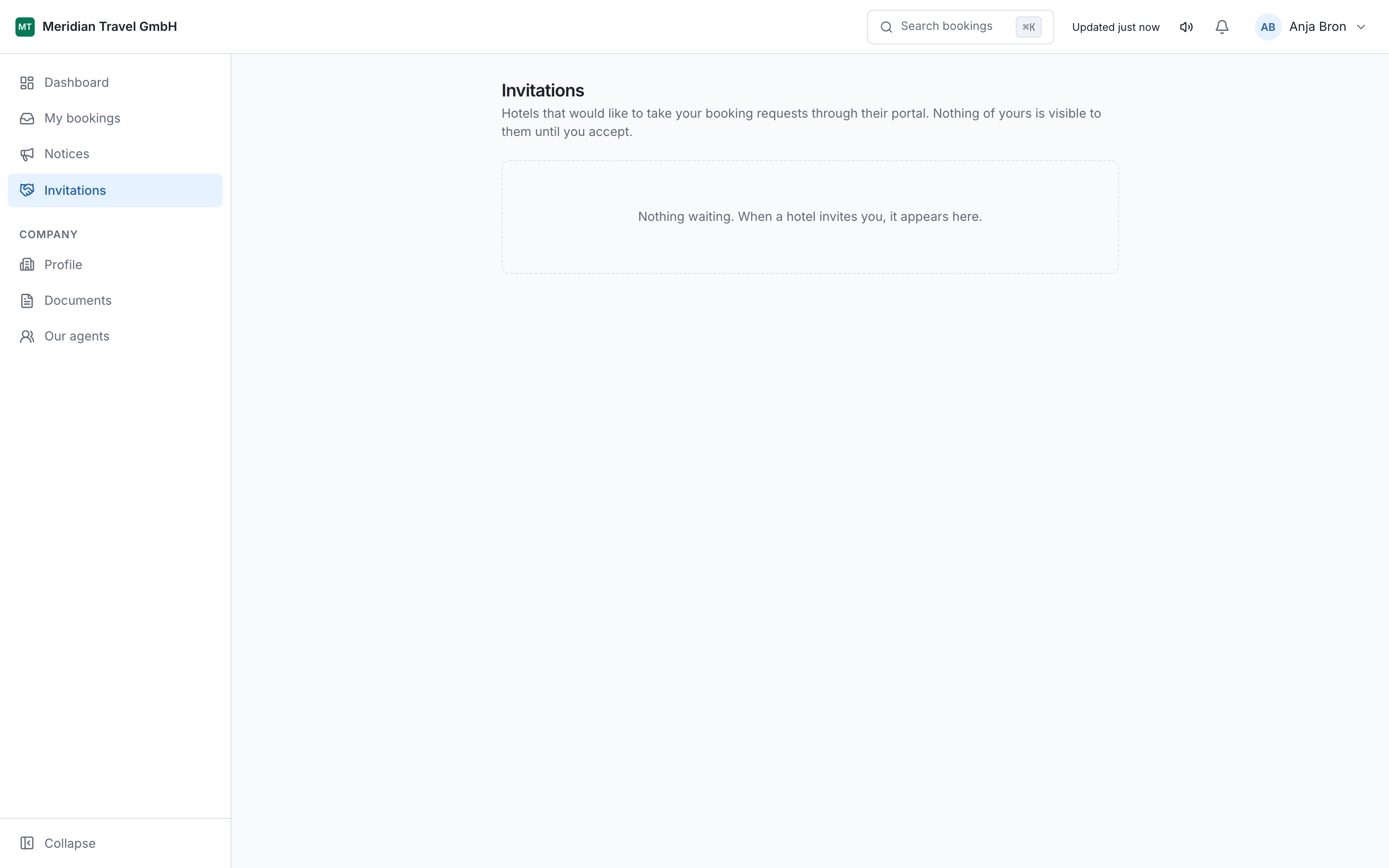
Declining is private. A declined invitation simply disappears. The hotel is not told that you refused, only that nothing has been accepted.
14 When something looks wrong
You cannot sign in
Use Forgot password first. Too many wrong attempts locks the account for a while; wait, then reset. If the hotel has suspended your agency, the sign-in page will say so.
You cannot submit a booking
Check the dashboard. The usual reasons are an incomplete company profile, an approval the hotel has not given yet, or an expired document.
The hotel says they never received it
Look at the status. Draft means it was never sent. Anything else means it reached them, and the timeline on the booking shows when.
An email never arrived
The portal is the record, so check it there first. If email is genuinely not arriving, tell the hotel which address it should be going to; a bounced address stops receiving until it is fixed.
When you contact the hotel, quote the booking reference (OCB-26-000412) rather than the guest name. Names repeat. References do not.